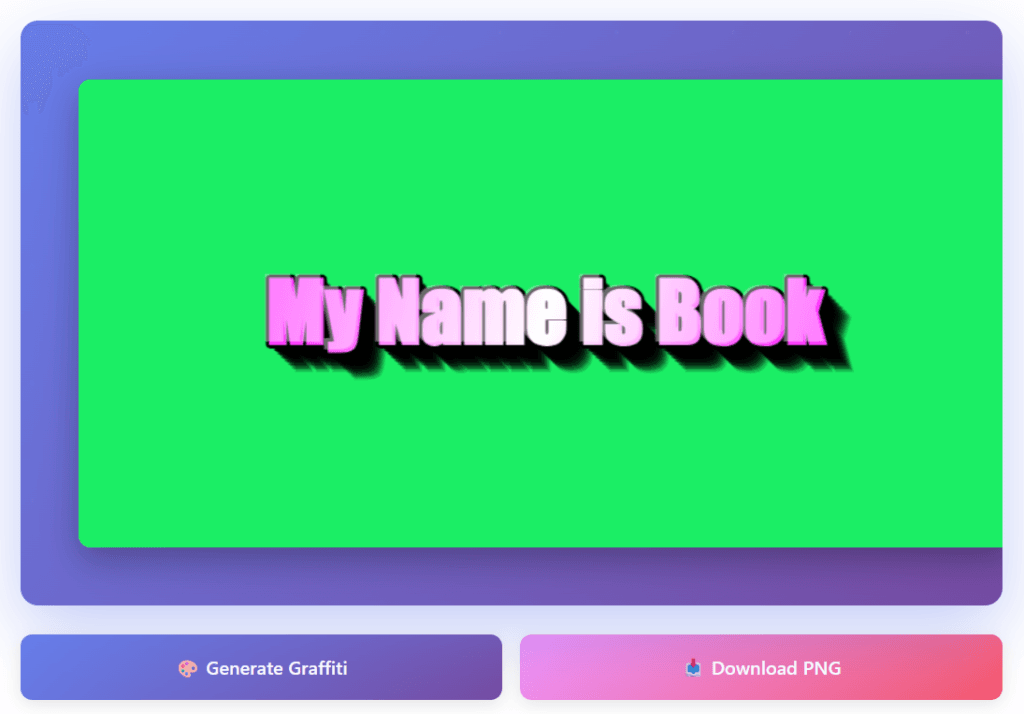
Create professional 3D graffiti text designs instantly with our free 3D Graffiti Generator. Customize colors, shadows, rotation, and download high-quality PNG files for your projects.
🎨 3D Graffiti Generator
#ff00ff
#000000
#1a202c
70px
0°
15px
What is a 3D Graffiti Text Generator?
A 3D graffiti text generator is a digital tool that creates stylized typography with three-dimensional depth effects. These generators simulate the visual characteristics of street art and graffiti culture—bold lettering, layered shadows, and dynamic color schemes—without requiring artistic skills or design software.
How to Use the 3D Graffiti Generator – Step-by-Step Guide
Step 1: Enter Your Text
Type your desired text in the “Your Text Here” field
Keep it short (1-3 words work best)
Maximum 20 characters
Step 2: Choose Your Colors
Text Color – Click the color picker and select your main graffiti color
The tool automatically adds a white gradient for 3D effect
Shadow Color – Select the color for your 3D depth
Black creates traditional shadows
Dark blues/purples create stylized effects
Background Color – Pick a contrasting background
Dark backgrounds make bright text pop
Light backgrounds work with dark text
Step 3: Adjust Text Appearance
Font Style – Choose from 5 font options
Impact (Bold) – Best for classic graffiti look
Arial Black – Clean and modern
Courier New – Tech/digital style
Text Size – Drag the slider (30-150px)
Larger text = bolder impact
Smaller text = fits more details
Step 4: Add Dynamic Effects
Rotation – Tilt your text (-45° to +45°)
0° = straight horizontal
Slight angles (10-15°) add energy
Extreme angles create dramatic effects
Shadow Intensity – Control the 3D depth (5-30px)
Low (5-10px) = subtle depth
Medium (15px) = balanced look
High (25-30px) = dramatic pop
Add Outline – Check/uncheck the box
✅ Checked = black border around letters (more readable)
⬜ Unchecked = no outline (cleaner look)
Step 5: Generate & Download
Preview Updates Automatically – As you adjust settings, the canvas updates in real-time
Click “🎨 Generate Graffiti” if you want to refresh
Happy with your design? Click “📥 Download PNG”
Your image saves as a PNG file with transparent-compatible format
Key Features Explained
Color Customization
The generator provides three color controls:
Text Color: Determines the primary hue with automatic gradient generation for dimension
Shadow Color: Controls the depth effect color (black creates traditional shadows, colors create stylized effects)
Background Color: Sets the canvas color (consider contrast with text color)
Shadow Intensity
The shadow depth slider (5-30 pixels) controls how far the 3D effect extends. Lower values create subtle depth, while higher values produce dramatic dimensional effects. Each layer uses progressive transparency to create realistic depth.
Rotation Control
Text rotation (-45° to +45°) allows for dynamic compositions. This feature is particularly useful for:
Creating diagonal emphasis in designs
Fitting text into specific layout spaces
Adding visual movement to static designs
Outline Option
The outline feature adds a stroke around each letter. This improves readability when:
Using light text on light backgrounds
Applying the design to complex background images
Creating high-contrast designs for printing
Technical Specifications
Output Format: PNG (Portable Network Graphics)
Supports transparency
Lossless compression
Widely compatible across platforms
Canvas Resolution: 800×400 pixels
Suitable for web use
Scalable for print at smaller sizes
Balance between file size and quality
Browser Requirements: Modern web browsers with HTML5 canvas support (Chrome, Firefox, Safari, Edge)
Best Practices for Creating Graffiti Text
Choose Readable Fonts
Impact and Arial Black provide the best results due to their bold, uniform stroke widths. These fonts maintain readability even with heavy stylization.
Balance Shadow Intensity
Excessive shadow depth can make text appear blurry. Start with moderate values (10-15 pixels) and adjust based on your text size and font choice.
Consider Color Contrast
High contrast between text and background ensures legibility. Use complementary colors or ensure sufficient lightness difference between foreground and background.
Optimize Text Length
Shorter phrases (1-3 words) work best. Longer text may appear crowded or require significant size reduction to fit the canvas.
Test Different Rotations
Slight rotation (5-15 degrees) often creates more dynamic compositions than perfectly horizontal or heavily tilted text.
Limitations and Considerations
Font Availability
The generator uses system fonts available in web browsers. Font rendering may vary slightly between operating systems (Windows, macOS, Linux).
Resolution Constraints
The fixed canvas size (800×400 pixels) is optimized for web use. For large-format printing, consider using the output as a reference and recreating the design in professional software like Adobe Illustrator.
Export Format
Only PNG format is currently supported. For vector-based workflows, you’ll need to trace the output in vector graphics software.
Frequently Asked Questions
Q: Can I use these designs commercially?
Yes, you own the designs you create. Be mindful of font licensing if you’ve selected premium fonts through your system.
Q: What file format is best for printing?
PNG files work for small prints. For larger formats, recreate the design in vector software for optimal quality.
Q: Why doesn’t my custom font appear?
The generator uses fonts installed on your system and available to your browser. Not all fonts are web-safe.
Q: How do I create transparent backgrounds?
Set the background color to match your intended use case, then use image editing software to remove the background if needed.
Conclusion
The 3D graffiti text generator provides a straightforward solution for creating stylized typography without specialized software or design skills. While it has limitations compared to professional design tools, its accessibility and ease of use make it suitable for many personal and professional projects.
The tool is particularly valuable for quick mockups, social media content, and situations where you need immediate results. For complex projects or high-resolution requirements, use the generator for rapid prototyping before moving to professional design software.