
Need a fast way to create a 192×192 icon?
Our 192×192 image converter lets you resize any image instantly in your browser. No software. No uploads to external servers. 100% client-side.
Whether you’re building a PWA, Android app, or favicon set, this tool gets the job done in seconds.
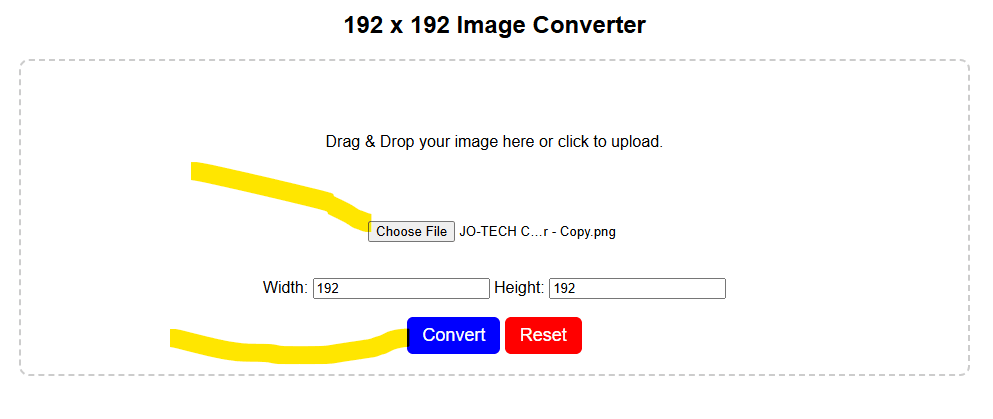
192 x 192 Image Converter
Drag & Drop your image here or click to upload.
How to Convert Image to 192×192 Online
Follow these simple steps:
- Upload your image (PNG, JPG, WebP supported).
- The tool automatically resizes it to 192×192 pixels.
- Preview the result instantly.
- Click download to save the converted PNG file.
That’s it.
Why You Need a 192×192 Image
The 192×192 pixel size is commonly used for:
- Progressive Web App (PWA) icons
- Android Chrome home screen icons
- Web manifest icons
- App launcher icons
- Website icon packs
If your icon isn’t the correct size, browsers may ignore it.
FAQs
Does the converter reduce image quality?
The image is resized to exactly 192×192 pixels. Quality remains optimized for web usage.
Can I convert JPG to 192×192 PNG?
Yes. You can upload JPG and download as PNG.
Is my image uploaded to your server?
No. Everything runs inside your browser for privacy and security.
Can I use the 192×192 image for PWA manifest?
Yes. It’s fully compatible with web manifest requirements.
Final Thoughts
If you need a quick, secure, and reliable 192×192 image converter online, this tool is built for you.