
Checking your image file size in megabytes (MB) takes seconds. Upload or drag and drop any image into the tool above to immediately view its exact file size in MB. The tool reads your file metadata directly inside your browser—your images are never uploaded to an external server, keeping your data 100% private.
Why Checking Image File Size in MB Matters
Managing image file sizes is critical for web performance, digital applications, and file sharing.
- Website Speed & SEO: Uncompressed images over 1–2 MB significantly delay page load times. Google considers page speed a direct ranking factor under Core Web Vitals.
- Portal & Application Limits: Government application portals, passport submission forms, and job application sites frequently enforce strict upload caps (typically 1 MB, 2 MB, or 5 MB).
- Email Attachments: Standard email providers cap total attachment limits at 20 MB to 25 MB. Large images quickly consume this threshold.
How to Check Image Size in MB
Checking your image file size takes just a few seconds using the Image size checker above.
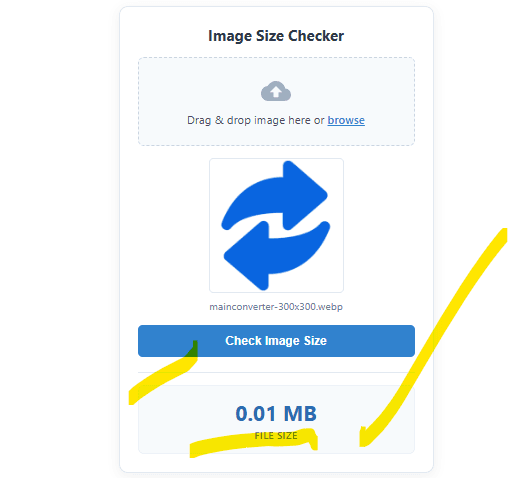
- Upload Your Image: Drag and drop your image file directly into the dropzone box, or click browse to select a JPEG, PNG, WebP, or GIF from your device.
- Preview the File: Confirm that the correct image and filename appear in the preview window.
- Click “Check Image Size”: Press the button to trigger the instant metadata calculation.
- View the Result: The exact file size will display on screen, formatted cleanly in Megabytes (MB) to two decimal places.
Note: Your image is processed locally inside your web browser. No files are uploaded to an external server, keeping your data completely private.
Frequently Asked Questions
Does checking an image’s size lower its quality?
No. An image size checker only reads the existing file metadata in your browser. It does not re-encode, compress, or alter your original image file in any way.
Why is my image file size in MB so large?
Large MB file sizes are typically caused by three factors: high pixel dimensions (e.g., 4000×3000px photos straight from a camera), uncompressed file formats like PNG or RAW, or high visual detail/density.
Also see: Online Image Tools