
Our free online tool lets you convert AVIF to JPG instantly without installing software or creating an account. Simply upload your AVIF image, convert it to JPG, and download the result in seconds.
Related: AVIF to PNG Converter
How to Convert AVIF to JPG
Using our converter takes only three simple steps.
Step 1: Upload Your AVIF File
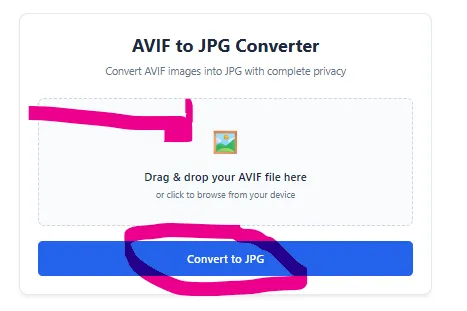
Click the upload button or drag and drop your AVIF image into the converter.
Step 2: Convert
Press the Convert to JPG button.
The tool automatically processes your image.
Step 3: Download
Once the conversion finishes, download the JPG file directly to your device.
Why Convert AVIF to JPG?
JPG (or JPEG) remains the world’s most widely supported image format.
Converting your AVIF images to JPG allows you to:
- Open images on virtually any computer or smartphone
- Upload images to websites that don’t support AVIF
- Share photos through email and messaging apps
- Print images without compatibility issues
- Edit photos using older image editing software
- Use images in Microsoft Office documents and presentations
If compatibility matters more than maximum compression, JPG is usually the safest choice.
Convert AVIF to JPG Online Now
Stop worrying about image compatibility. Our AVIF to JPG Converter lets you transform modern AVIF images into universally supported JPG files in just a few clicks.
Simply upload your AVIF image, click Convert, and download your JPG instantly. It’s free, fast, easy to use, and designed to help you work with your images anywhere.
Whether you’re preparing photos for social media, documents, presentations, websites, printing, or sharing with friends and colleagues, our AVIF to JPG Converter provides a reliable solution that works whenever you need it.