
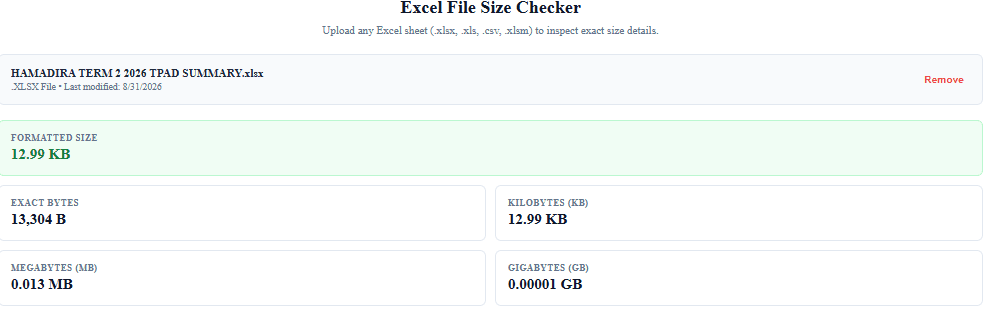
To check your Excel file size instantly, upload your document into our free Excel File Size Checker below. You will get an exact, real-time breakdown of your workbook’s size in Bytes, KB, MB, and GB with zero wait time.
Excel File Size Checker
Upload any Excel sheet (.xlsx, .xls, .csv, .xlsm) to inspect exact size details.
Drag & drop your file here
or click to browse from your device
Select Excel FilePlease select a valid Excel file (.xlsx, .xls, .csv, .xlsm, .xlsb).
–
Formatted Size
0 B
Exact Bytes
0 B
Kilobytes (KB)
0 KB
Megabytes (MB)
0 MB
Gigabytes (GB)
0 GB
How to Use Our Free Excel File Size Checker
Our online file checker delivers precise measurements for all spreadsheet formats, including .xlsx, .xls, .csv, .xlsm, and .xlsb.
- Upload Your Spreadsheet: Drag and drop your file into the checker box above, or click Select Excel File to choose a document from your device.
- Get Instant Measurement: The tool immediately calculates your raw byte count right in your browser.
- Inspect the Breakdown: Review your file’s weight across four metrics:
- Formatted Size: Quick, readable metric (e.g.,
3.45 MB). - Exact Bytes: Raw byte count for technical accuracy.
- Kilobytes (KB) & Megabytes (MB): Ideal for verifying email attachment limits and portal upload caps.
- Formatted Size: Quick, readable metric (e.g.,
- Test Additional Files: Click Remove to clear the current file and check another spreadsheet.
Alternative Ways to Check Excel File Size
If you need to inspect file sizes directly on your system without opening a browser, use these native methods:
Method 1: Inside Microsoft Excel
- Open your Excel spreadsheet.
- Click File in the top ribbon menu.
- Select Info from the sidebar menu.
- Locate the Size property listed in the right-hand details pane.
Method 2: Windows File Explorer
- Navigate to the folder containing your Excel document.
- Switch to Details View to read the Size column.
- Alternatively, right-click the file, select Properties, and check the Size entry.
Method 3: macOS Finder
- Highlight your Excel file in Finder.
- Press
Command (⌘) + Ito open the Get Info menu. - View the file size located in the top General section.
Related Tools
PDF Size Checker – Check PDF Size Online