
Need a YouTube profile picture that looks sharp at any size? Use the free YouTube profile picture maker above. Upload a photo or type your initials, pick a background, drag to position, and download a ready-to-upload 800 × 800 image.
Drag the picture to reposition it.
Background
What Is a YouTube Profile Picture Maker?
A YouTube profile picture maker is an online tool that turns a photo, logo, or text into a square image sized for your channel icon. That icon appears next to your name in comments, search results, subscriptions, and on your channel page. It is the smallest and most-seen piece of your brand.
Also see: YouTube Banner Size Converter
YouTube Profile Picture Size and Requirements
The best YouTube profile picture size is 800 × 800 pixels. Here are the full specs:
- Recommended size: 800 × 800 px
- Aspect ratio: 1:1 (square)
- Minimum size: 98 × 98 px
- Maximum file size: 4 MB
- File types: JPG, PNG, BMP, or non-animated GIF
- Display shape: circle
Our tool exports at 800 × 800 automatically, so you never have to do the math.
How to Make a YouTube Profile Picture (Step by Step)
- Choose Use a photo or Use initials.
- Upload your image, or type up to four characters.
- Drag the picture and use the zoom slider until your face or logo sits inside the circle guide.
- Pick a background color or gradient. Add a ring if you want more contrast.
- Check the actual-size preview, choose PNG or JPG, and click Download.
That’s how you create a YouTube profile picture in about a minute.
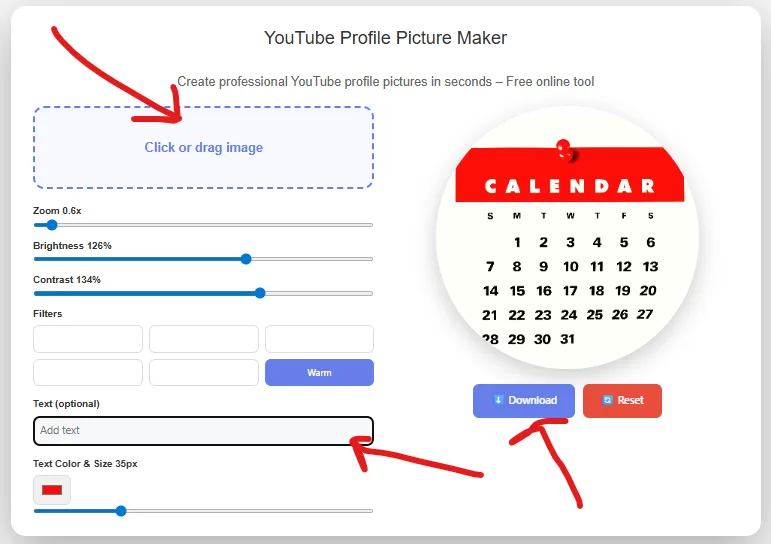
Why Use This Free YouTube Profile Picture Maker?
- Free and clean: no watermark, no account, no limits.
- Private: your photo is processed on your device.
- Correct size: every download is 800 × 800.
- Circle guide: see exactly what YouTube will show.
- Actual-size preview: check readability at about 98 px.
- Works on phone and desktop: drag with a mouse or your finger.
How Do You Make a Profile Picture on YouTube?
- Sign in to YouTube and open YouTube Studio.
- Go to Customization, then Profile.
- Under Picture, click Change and select your file.
- Click Publish.
The new picture can take a little while to appear everywhere.
Tips for the Best YouTube Profile Picture
- Center your subject. The circle crop cuts the corners.
- Keep it simple. At about 98 px, fine detail turns to mush.
- Start with a high-resolution source. Small photos look soft when enlarged.
- Create contrast. A bright face on a solid color reads better than a busy background.
- Match your brand. Use the same colors as your banner and thumbnails.
- Choose by channel type. Faces suit personal brands. Logos and mascots suit business and gaming channels.
- Avoid frequent changes. A consistent picture helps viewers recognize you.
What Makes the Best YouTube Profile Picture Maker?
The best YouTube profile picture maker gives you the right size, no watermark, no forced signup, and a preview of how the image will really look. Large design platforms offer templates and AI effects, which suit elaborate artwork, but many ask you to create an account first. A focused tool gets you a correctly sized picture in under a minute.
FAQs
How do I get a YouTube profile picture?
To get your own, create one with the maker above, download it, and upload it in YouTube Studio under Customization > Profile. If you mean someone else’s picture, open their channel and view it there. Save or reuse it only with the owner’s permission.
Is it legal to download YouTube profile pics?
Viewing or saving one for personal reference is generally low risk. Reusing it is different. Profile pictures are usually protected by copyright, so posting someone else’s as your own, or using it commercially, can be infringement and may lead to a takedown. Get permission first, or use your own image. This is general information, not legal advice.
Also see: 3000 x 3000 Image Resizer
Free Resource: Getting started on YouTube